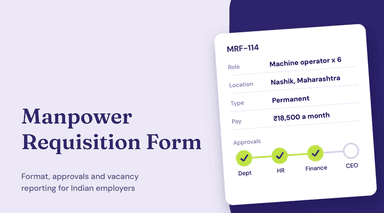

HR software for a manufacturing company is an HRMS that takes punches from the factory gate, applies shift and overtime rules to them, keeps permanent and contract workers on one record, and runs payroll with PF, ESI, professional tax and LWF from that same data. In 2026 it also has to follow the Labour Codes, which replaced the Factories Act on 21 November 2025. That means overtime at twice the rate of wages, night shifts that cross midnight counted in the right day, contract labour you can account for, and final wages paid within two working days of an exit.
We compared eight HRMS that sell to Indian manufacturers, using each vendor's own manufacturing and pricing pages. Engage HRMS is first. It is our product, and we built it for exactly this work: plants and offices with 50 or more employees that want shifts, overtime, contract workers and payroll on one employee record, at a price published on the website. Our HRMS for manufacturing page shows how it runs on a shop floor.
Short on time? Jump to the eight HRMS, the feature and price comparison, or the four plant cases to test in a demo.
Vendor features and prices are taken from each vendor's own manufacturing and pricing pages on 19 November 2026 and can change, so confirm them, along with GST and billing terms, in a written quote. Legal figures follow the Occupational Safety, Health and Working Conditions Code, 2020 (OSH Code) and the Code on Wages, 2019, in force from 21 November 2025. State rules under the Codes settle many working details, so check the rules for your state. This is general guidance and does not replace legal advice. Law as at 19 November 2026.
| HR software | What its manufacturing page leads with | Lowest published price for a plan with attendance and payroll | Section |
|---|---|---|---|
| Engage HRMS | Fixed, rotating and night shifts; overtime from punches; contract workers on the same attendance; plant-wise settings | Essential, ₹60 per employee a month, or ₹48 a month billed yearly | 2 |
| Keka | Shift board across plants, 200+ biometric devices, overtime and shift premiums from attendance | Foundation, ₹90 per additional employee; base fee on request | 2 |
| HROne | Gate and biometric attendance, offline capture, contract and temporary staff by plant | Basic, ₹4,950 a month for 50 users, then ₹99 each | 2 |
| factoHR | Shift and roster planning, face recognition, daily-wage and piece-rate payroll | Core, ₹4,999 a month for up to 50 employees, then ₹99 each, billed quarterly | 2 |
| Spine HR Suite | Piece-rate and SKU-wise production incentives into payroll, gate biometrics, offline sync | On request | 2 |
| Akrivia HCM | Medium and large manufacturers; multi-shift scheduling, overtime approved against attendance | On request | 2 |
| ZingHR | Contract workers tracked by vendor with renewal alerts, real-time overtime | On request | 2 |
| Kredily | Rotating rosters, face and biometric attendance, permanent, contract and daily-wage pay in one run | Free Forever plan at ₹0; paid plans from ₹1,249 a month | 2 |
What does HR software for a manufacturing company need to do?
It has to turn shop-floor attendance into correct pay without anyone retyping it. A plant HR team's month runs on volume: a few hundred workers punching across three shifts, overtime that changes every week, contract workers from two or three agencies, and registers the Inspector-cum-Facilitator can ask to see at any visit. For most factories the software needs to:
- Capture attendance at the gate or on the line through biometric devices, face recognition or a kiosk.
- Hold fixed, rotating and night shifts, assign them in bulk by line, and count a shift that crosses midnight in the right day.
- Compute overtime from punches against the assigned shift and pay it at the statutory rate in the same cycle.
- Keep contract workers on your own attendance record, so you can check the contractor's bill against your muster roll.
- Run payroll with PF, ESI, professional tax and LWF according to the state each plant is in.
- Pay wages due within two working days of a resignation, removal or retrenchment, as the Code on Wages requires.
Our guide to payroll software for manufacturing companies covers where factory payroll usually breaks. This post is the shortlist that goes with it.
Which is the best HR software for manufacturing companies in India in 2026?
For a plant with 50 or more employees, we recommend Engage HRMS: it runs shifts, overtime, contract workers and state-wise payroll on one employee record, and its per-employee price is published on its website. All eight HRMS below describe a manufacturing offering on their own websites and sell to Indian employers. After Engage, the other seven appear in no particular order. Each description comes from that vendor's manufacturing page and pricing page. We have not scored or rated the other products, because we have not tested them side by side.
1. Engage HRMS
Engage runs attendance, overtime, payroll and statutory filings for the shop floor and the office from one employee database. You set up fixed, rotating and night shifts once and assign them in bulk by line or department. Overtime is computed from punch-in and punch-out against the assigned shift, so the overtime that reaches payroll is the overtime that was worked. If you want an approval step, supervisors approve it on their phone the same day instead of signing a register at month-end. Attendance can come from biometric devices, face recognition, kiosk mode at the gate or geo-fenced mobile check-in for supervisors who move between sites.
Contract workers sit in the same attendance system as permanent staff, so the muster roll you hold matches the one the contractor bills against. Permanent, fixed-term and contract workers each get their own pay structure. Payroll computes PF, ESI, PT, LWF and TDS on the statutory wage, and the PF ECR and challans come out of the same run. Each plant keeps its own shifts, holiday list, PT state and approvers, while central HR sees headcount and payroll cost across every location. Full and final settlement works out leave encashment, gratuity and recoveries together, so an exit can be paid inside the two-day deadline.
Essential costs ₹60 per employee a month, or ₹576 a year (₹48 a month) billed yearly, and Growth costs ₹100, or ₹960 a year (₹80 a month) billed yearly. There is no setup fee, the Engage team moves your data across, most companies go live within a week, and monthly billing carries no lock-in. Engage is ISO 27001 certified. You can request a free trial.
2. Keka
Keka's manufacturing page describes a drag-and-drop shift board across every department and plant, with attendance from more than 200 biometric devices integrated in real time and mapped to the right shift. Overtime, night allowances and shift premiums are calculated when attendance is logged, and workers can view shifts, request swaps and see payslips on their phone. On the pricing page, the Foundation plan lists leave, overtime automation, basic shift management, payroll, and PF, ESI and LWF reports at ₹90 per additional employee. Selfie clock-in and geo-fencing sit in the Strength plan at ₹120. The base fee is not published, so ask for it.
3. HROne
HROne puts white-collar and blue-collar staff on one platform. Attendance comes from biometric and gate devices, a mobile app with geo-fencing and live photo capture, and offline capture. It handles rotational, night and split shifts, with overtime and comp-off rules mapped to payroll. Permanent, contract and temporary employees are tracked by plant, and group payout validation processes salaries across plants and states in one run. The page lists integrations with Tally, SAP and other ERPs. The Basic plan is ₹4,950 a month for 50 users and ₹99 for each additional user, and includes time office, geo-fencing, selfie and offline attendance, and payroll.
4. factoHR
factoHR covers shift scheduling, roster planning, geo-fencing and face recognition, with attendance, payroll and core HR in one system. Its FAQ says payroll handles off-cycle payments, daily-wage earners and piece-rate salaries, and that the system works in remote plant areas with weak network coverage. It lists SAP and Tally integration. The Core plan is ₹4,999 a month for up to 50 employees and ₹99 for each additional employee, billed quarterly, and includes attendance and leave, AI face recognition and payroll. Geo-fencing needs the Premium plan.
5. Spine HR Suite
Spine Technologies gives most of its manufacturing page to piece-rate pay. Its Performance Linked Benefits module captures item-wise and SKU-wise output daily, applies slab-wise incentive rates, combines the result with shift attendance and feeds it into payroll. Attendance covers biometric terminals at factory gates, geo-fencing, offline sync and contract labour alongside permanent headcount. The suite also has OTP-based visitor entry and exit. Pricing is on request.
6. Akrivia HCM
Akrivia pitches its product at medium and large manufacturers, covering recruitment, attendance, multi-shift management and payroll. Biometric attendance syncs with the HR portal, shifts can be fixed or flexible, and geo-fencing and geo-tagging are available. Managers approve overtime against attendance data, payroll draws on attendance, shifts and leave, and the page lists prebuilt workflow templates for manufacturing. Pricing is on request.
7. ZingHR
ZingHR describes an HCM platform for manufacturing and automotive companies, with multi-shift attendance, visibility over the contractor workforce and its ZingZeroTAP payroll. Contract workers are tracked by vendor, and renewal workflows trigger before a contract expires. Biometric and mobile attendance feed payroll, overtime is calculated in real time, and PF and ESIC registers are generated every cycle for every plant. The page says its manufacturing customers range from 500 to 50,000 employees. Pricing is on request.
8. Kredily
Kredily covers rotating rosters, night shifts, shift allowances and overtime into payroll. Attendance options include biometric device sync, KredEYE face recognition, selfie, mobile GPS, geo-fence and a tablet punch, and late-mark rules can turn a set number of late arrivals into a half-day deduction. Permanent, contract and daily-wage staff can each have their own salary structure in one run, with PF, ESI and PT by location. The Free Forever plan covers payroll, HR, attendance and leave for unlimited employees at ₹0, subject to its active usage policy. Payroll OS costs ₹1,249 a month for up to 25 employees and ₹50 for each one after that, and adds PF and ESI challans and bank salary payouts.
How do these HRMS compare on manufacturing features and price?
The table records only what each vendor's own manufacturing or pricing page says. If a cell leaves out a feature, ask about it in the demo.
| HRMS | Shifts and overtime | Attendance capture named on its page | Contract or daily-wage workers | Several plants | Published price |
|---|---|---|---|---|---|
| Engage HRMS | Fixed, rotating, night; overtime from punches, approved on mobile | Biometric, face recognition, gate kiosk, geo-fenced mobile | Contract workers on the same attendance; own pay structures | Plant-wise shifts, holidays, PT state, approvers; group view | ₹60 or ₹100 per employee a month; ₹48 or ₹80 a month billed yearly |
| Keka | Shift board; overtime, night allowance, shift premium | Biometric; selfie and geo-fence in Strength | Leave policies by worker category | Shift board across plants | ₹90, ₹120 or ₹150 per additional employee; base fee on request |
| HROne | Rotational, night, split; overtime and comp-off rules | Biometric and gate devices, geo-fencing, photo, offline | Permanent, contract, temporary by plant | Group payout across plants and states | ₹4,950 a month for 50 users, then ₹99 |
| factoHR | Shift and roster planning | Biometric, face recognition; geo-fence in Premium | Daily-wage and piece-rate pay | Single or multiple locations | ₹4,999 a month for 50, then ₹99, billed quarterly |
| Spine HR Suite | Shift attendance into incentive pay | Gate biometrics, geo-fencing, offline sync | Contract labour attendance; piece-rate wages | Multi-location plants | On request |
| Akrivia HCM | Fixed or flexible shifts; overtime against attendance | Biometric sync, geo-fencing, geo-tagging | Not described on its manufacturing page | Location-based leave policies | On request |
| ZingHR | Multi-shift; real-time overtime | Biometric and mobile | Contract workers by vendor, renewal alerts | Registers for every plant | On request |
| Kredily | Rotating rosters, night shifts, overtime | Biometric sync, face, selfie, GPS, geo-fence, tablet | Permanent, contract, daily-wage in one run | Plant-level access, group view | ₹0 Free Forever; ₹1,249 a month for 25, then ₹50 |
How much does HR software for a 200-employee plant cost?
Per-employee and per-plan prices only compare once you run the sum for your headcount. At 200 employees, Engage Essential costs ₹12,000 a month on monthly billing, or ₹9,600 a month billed yearly. That is about 40% below HROne Basic and factoHR Core at their published rates. Billed yearly, it is under half of HROne Basic's published price. factoHR offers 15% off for annual billing, so compare yearly quotes like for like.
| Plan | How the price is built | 200 employees, per month, before GST |
|---|---|---|
| Engage Essential, billed yearly | ₹48 × 200 (₹576 a year each) | ₹9,600 |
| Engage Essential, billed monthly | ₹60 × 200 | ₹12,000 |
| HROne Basic | ₹4,950 for 50, plus ₹99 × 150 | ₹19,800 |
| factoHR Core | ₹4,999 for 50, plus ₹99 × 150, billed quarterly | ₹19,849 |
| Kredily Payroll OS | ₹1,249 for 25, plus ₹50 × 175 | ₹9,999 |
| Keka Foundation | Base fee on request, plus ₹90 per additional employee | Ask for a quote |
Run the same sum for your own peak and lowest headcount, add GST, and ask each vendor whether inactive contract and seasonal workers are billed. Spine HR Suite, Akrivia HCM and ZingHR quote on request.
How do you choose an HRMS for a factory?
Choose on the situations your plant actually has, and make each vendor show them with your data. These are the points that separate a plant HRMS from an office one.
| What to check | Why it matters on a shop floor | What to ask in the demo |
|---|---|---|
| Attendance capture | Buddy punching and missed punches turn into wrong pay | Which devices do you support, and what happens to punches when the network is down? |
| Shift engine | A night shift changes which day the hours count in | Show a C shift from 22:00 to 06:00 and how its hours are counted |
| Overtime rule | Overtime is paid at twice the rate of wages and needs the worker's consent | Show one worker's overtime, then change the rate base and recalculate |
| Contract labour | The principal employer pays if the contractor does not | Can contract workers punch on our devices and appear in a contractor-wise report? |
| Wage definition | Excluded allowances above half of total pay are added back to wages under the Code on Wages | Show the PF and gratuity base for a low-basic, high-allowance structure |
| Multi-state plants | PT, LWF, minimum wages and holidays follow the place of work | Set up two plants in two states and run one payroll |
| Exit settlement | Wages due must be paid within two working days of exit | Run a full and final for a worker who resigns mid-month |
| Price on your headcount | Headcount swings in peak season | Quote for our peak month and lowest month, with GST |
For the hardware side, see our biometric attendance system buyer's guide. If you are weighing an HRMS against your ERP's HR module, read HR software vs ERP HR module. To see what a low-basic restructure does to take-home pay and the employer's cost, try the free salary calculator, PF calculator and gratuity calculator.
Which labour law rules must factory HR software handle in 2026?
It has to follow the OSH Code and the Code on Wages. Section 143 of the OSH Code repealed the Factories Act, 1948 and the Contract Labour (Regulation and Abolition) Act, 1970, so the rules below are the ones that apply now.
| Rule | What the Code says | Where it sits |
|---|---|---|
| What is a factory | Premises with 20 or more workers where a manufacturing process runs with power, or 40 or more without power, on any day of the preceding 12 months. Workers in all shifts of a day are counted. A state number in force before the Code continues until the state amends it | OSH Code s.2(1)(w) |
| Establishment | A place of manufacturing or business with 10 or more workers | OSH Code s.2(1)(v) |
| Daily hours | No worker to work more than eight hours in a day, with spread-over and intervals as notified | OSH Code s.25(1) |
| Overtime | Twice the rate of wages; counted daily or weekly, whichever is better for the worker; worker's consent needed; total overtime hours set by the Government | OSH Code s.27; Code on Wages s.14 |
| Night shift past midnight | Hours worked after midnight count in the previous day | OSH Code s.28 |
| Registers | Work, hours, wages, leave, overtime and attendance, kept electronically or otherwise; wage slips; returns | OSH Code s.33 |
| Contract labour | Applies where 50 or more contract labour were employed on any day of the preceding 12 months | OSH Code s.45 |
| Wage payment | Monthly wages before the end of the seventh day of the next month; wages due on exit within two working days | Code on Wages s.17 |
Our posts on overtime pay calculation and attendance compliance under the Labour Codes go deeper into these rules, and the Factories Act glossary entry explains what moved into the OSH Code.
How should HR software handle contract labour?
It should hold contract workers as people with their own attendance, so you can prove what was worked before you pay the contractor. Once the contract labour Part of the OSH Code applies, three duties sit with you as principal employer. Section 53 makes you provide welfare facilities to contract labour. Section 55(3) makes you pay the wages, or the unpaid balance, if the contractor does not pay on time, and lets you recover the amount from the contractor. Section 57 prohibits contract labour in core activities, with limited exceptions.
Section 55(2) requires the contractor to pay wages by bank transfer or other electronic mode and to tell you electronically what was paid. A workable monthly control is to collect four things before you release the contractor's invoice: attendance from your own devices, the contractor's wage register, that payment confirmation, and proof of PF and ESI deposits for the deployed workers. Keeping contract workers on your own attendance system, as Engage does, gives you the first item without relying on the contractor.
The Contract Labour Act glossary entry covers the core activity test. Fixed-term workers you hire directly are a different arrangement, covered in fixed term employment in India.
How should shift, overtime and attendance data reach payroll?
Attendance should reach payroll straight from the punches, with an approval step in between and no spreadsheet. A typical plant cycle runs like this:
- Punches from the gate devices are matched to each worker's assigned shift.
- The system marks late arrivals, early exits, missing punches and overtime against the shift.
- Supervisors regularise missing punches and approve overtime during the month.
- HR closes attendance, and approved overtime, loss of pay days and shift allowances flow into payroll.
- Payroll computes PF, ESI, PT and LWF by plant, and the PF and ESI files come from the same figures.
Take a daily-rated worker on ₹720 for an eight-hour day. The hourly rate is ₹90, an overtime hour at twice the rate is ₹180, and three hours of overtime come to ₹540. For monthly-rated workers, use the rate base and divisor in your state rules. Overtime pay calculation in India has the full method, and our attendance management software page shows how Engage handles shifts and punches.
Can one HRMS run several plants in different states?
Yes, as long as each plant can keep its own settings while head office sees the totals. Professional tax, LWF, minimum wages and the holiday list follow the place of work, so a group with plants in Maharashtra and Gujarat runs two PT regimes in one payroll. In Engage each plant carries its own PT state, holiday list, shifts and approvers inside one payroll run. Our state pages for professional tax, labour welfare fund and minimum wages list the rates to check against.
What should you test in an HRMS demo?
Give each vendor these four cases with your own numbers and watch how the screens handle them. A tool that gets all four right will cope with most months on a shop floor.
Case 1: a night shift that crosses midnight
A worker punches in at 22:00 on Tuesday and out at 07:30 on Wednesday. Under section 28 of the OSH Code, hours after midnight count in the previous day, so all 9.5 hours belong to Tuesday. The software should show them on Tuesday, deduct any break your rules set, and flag the time beyond the normal working day as overtime.
Case 2: overtime approved late
A worker stays back two hours to finish a batch, and the supervisor approves it three days later. The software should compute the overtime from the punches and hold it for approval. A prior-approval policy decides whether people may stay back. It does not cancel pay for hours already worked.
Case 3: a contractor who pays late
A contractor has 60 workers deployed with you and pays October wages late. Ask the vendor to show contractor-wise attendance for those 60 people, and how you would work out the wages you may have to pay under section 55(3) and recover from the contractor's bill.
Case 4: a resignation on the 12th
A machine operator resigns and leaves on 12 November. Section 17(2) of the Code on Wages requires wages due to be paid within two working days. Ask the vendor to run the full and final settlement that day, with leave encashment and recoveries. Our full and final settlement guide covers what goes into it, and the leave encashment calculator checks one line of it.
How do you move a plant from Excel and biometric exports to an HRMS?
Move one plant first, and run one payroll cycle in parallel before you switch. The steps:
- Clean the employee master: UAN, ESI number, bank details, joining date, category and plant for each worker.
- Set up shifts, weekly offs, holiday lists and the overtime rule for that plant.
- Connect the gate devices and check that punches arrive against the right employee codes.
- Load opening leave balances and running loans or advances.
- Run one month in parallel and reconcile gross pay, overtime, PF and ESI worker by worker.
- Go live, then add the next plant.
With Engage, our team moves the data across and most companies go live within a week. Check the first few cycles against our payroll compliance checklist and the statutory compliance calendar for 2026-27.
HR software for manufacturing: 8 questions
Which is the best HR software for manufacturing companies in India?
The best one handles your shifts, overtime, contract workers and states without spreadsheets. For plants with 50 or more employees, Engage HRMS does all of this on one employee record from ₹60 per employee a month. Keka, HROne, factoHR, Spine HR Suite, Akrivia HCM, ZingHR and Kredily also describe manufacturing features on their own websites.
What is an HRMS for the manufacturing industry?
It is HR and payroll software set up for plant work: gate attendance, rotating and night shifts, overtime at the statutory rate, contract labour records, and payroll by each plant's state.
Is the Factories Act still in force in 2026?
No. Section 143 of the OSH Code repealed the Factories Act, 1948, and the Code came into force on 21 November 2025. Factory definitions, hours, overtime and registers now come from the OSH Code and the state rules made under it.
Does a unit with fewer than 20 workers need to keep registers?
Yes, if it has 10 or more workers. It is then an establishment under the OSH Code and must keep registers of attendance, hours, wages, leave and overtime, even though it is below the factory threshold of 20 workers with power or 40 without.
How is overtime paid for factory workers?
At twice the rate of wages, under section 27 of the OSH Code and section 14 of the Code on Wages. Overtime needs the worker's consent, and the appropriate Government sets the total overtime hours allowed.
Do contract workers need to be on our HRMS if the contractor pays them?
The law does not require it. But where the contract labour Part applies, section 55 makes you liable for their unpaid wages, and keeping their attendance on your own system is the easiest way to check what the contractor bills and pays.
Can HR software pay piece-rate workers?
Some of the tools here say so. Spine HR Suite and factoHR describe piece-rate pay on their manufacturing pages. Test it in the demo with a month of real output data.
How much does HR software for manufacturing cost in India?
Published prices on this list run from ₹0 on Kredily's free plan, through ₹48 to ₹60 per employee a month on Engage Essential, to ₹4,950 a month for 50 users on HROne Basic. At 200 employees, Engage Essential works out to ₹12,000 a month against ₹19,800 for HROne Basic. Spine HR Suite, Akrivia HCM and ZingHR quote on request. GST is extra.
How do you sign off an HRMS vendor?
Tick off every line below before you sign:
- Gate devices tested with your employee codes, including a day with the network down.
- A night shift crossing midnight counted in the correct day.
- Overtime computed from punches at twice the rate of wages, with your state's divisor.
- Contract workers on your attendance system, with a contractor-wise report.
- PF and gratuity base checked against the Code on Wages definition of wages.
- Two plants in two states run in a single payroll.
- A full and final settlement completed within two working days.
- A written quote for your peak and lowest headcount, with GST.
- One parallel payroll month reconciled worker by worker.
Related reading: the best HR software in India, the best payroll software in India and the best attendance management software in India.
Engage keeps the plant and the office on one employee database. Shifts are assigned by line, punches come from biometric devices, face recognition, the gate kiosk or geo-fenced mobile check-in, overtime is computed against the shift and carried into payroll, and contract workers punch on the same system as your own staff. Attendance, leave, payroll and core HR come in both the Essential and Growth plans, with no setup fee. See what each plan includes on the Engage pricing page and request a free trial with your own plant data.